Students
Reflux Student
Aspen Plus on your own licence, one seat, free to start. Ask what is wrong, fix it, and rerun with every number read back from Aspen.
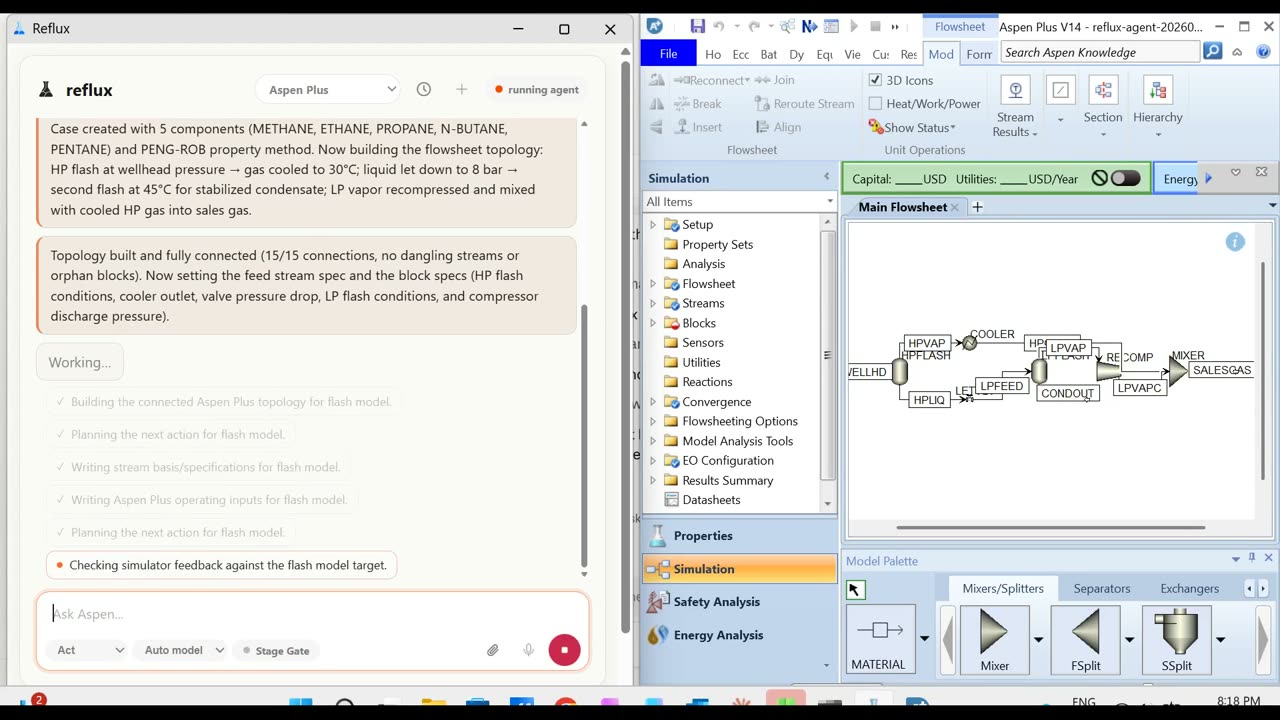
See Reflux StudentReflux drives the simulators engineers already run. Ask for a change in plain English, see the plan before anything is written, and get every number read back from the simulator itself.
Free to start, no card. Windows 10 or 11 with Aspen Plus V14. Teams and other simulators: get a demo.
Built for the software engineers already run
Aspen Plus is available today. Every other package gets its own adapter, built against its published automation interface. Tell us which one you run →
The same Reflux underneath. Pick the edition that fits how you work, start today, and move up when you need to.
Aspen Plus on your own licence, one seat, free to start. Ask what is wrong, fix it, and rerun with every number read back from Aspen.
See Reflux StudentThree levels, set per course. Convergence failures stay failures, assumptions are logged, and the submitted file is never written over.
See the levelsInspect, edit, run and explain the cases you already have through a reviewed workflow. The native model stays the source of truth and you keep the audit trail.
See it on a real caseGive your package a natural-language front end without building an AI team. Embed it, co-sell it or refer it.
See how adapters workNo scripting, no macros. The plan is shown before anything is touched, and nothing is reported as done until it has been read back.
Install Reflux beside your simulator. Sign in with an emailed link, then point it at a case or describe what to build.
Say what you want in plain English: build a train, change a spec, find out why the last run failed.
Reflux shows the plan before it writes a thing. Every assumption it makes is logged at the moment it makes it.
Each write is read back from the simulator before Reflux reports it. Results arrive with the run they came from.
Everything an engineer needs to hand a case to an agent and still sign their name to the result.
Reflux is independent software that drives a licensed, installed seat. It does not include the simulator and it does not replace it.
Windows 10 or 11. Installs in a minute and drives your own Aspen Plus V14 licence.
The Reflux CLI for scripted studies, batch runs and anything you would rather not click through.
An MCP server, so the agents your team already uses can reach the simulator through Reflux.
Start on one computer. Teams that need it run Reflux in a private cloud or fully on site.
Custom models
Reflux trains models on your process: converged cases, plant history and lab results. Predict what a case will do before it runs, and keep the model where your data lives.
Plainly, because the answer is different on the free seat and on a team deployment.
The simulator, your case files and the automation all run locally, against your own licensed seat. Reflux never uploads a flowsheet.
On the free and student seats, your requests and the parts of a case Reflux reads go through Reflux's servers to Anthropic's API to get an answer. Reflux keeps usage counts, not your content.
Neither Reflux nor Anthropic trains on it, under Reflux's commercial API agreement. A model trained on your data is something you commission, and it stays yours.
Work saves to a new file next to yours. The case you opened is never written over.
Private cloud or fully on site, with an open-weight model inside your network for data that cannot leave it.
Every write is checked against the simulator before Reflux says it happened. Every assumption goes into the log the moment it is made.
Install it beside Aspen Plus and hand it the case you are stuck on. No card, no call.
One seat installs in a minute on Windows and drives your own Aspen Plus V14. Teams, courses, vendors and other simulators: get a demo.