
Reflux Student
Your Aspen Plus, with an engineer that never sleeps.
Open a flowsheet, ask what is wrong, get it fixed and rerun with every number read back from Aspen. One seat, on your own licence, free to start.
No card. Windows 10 or 11 with Aspen Plus V14 installed and licensed. Your university's academic licence is fine.
How it works
Three steps, and the third one is the product.
- Enter your email
Free: a sign-in link arrives with the download. Paid plans: pay first, then the same page. Nothing to copy.
- Install Reflux
It opens your browser with a short code. Approve it and Reflux is connected to your account.
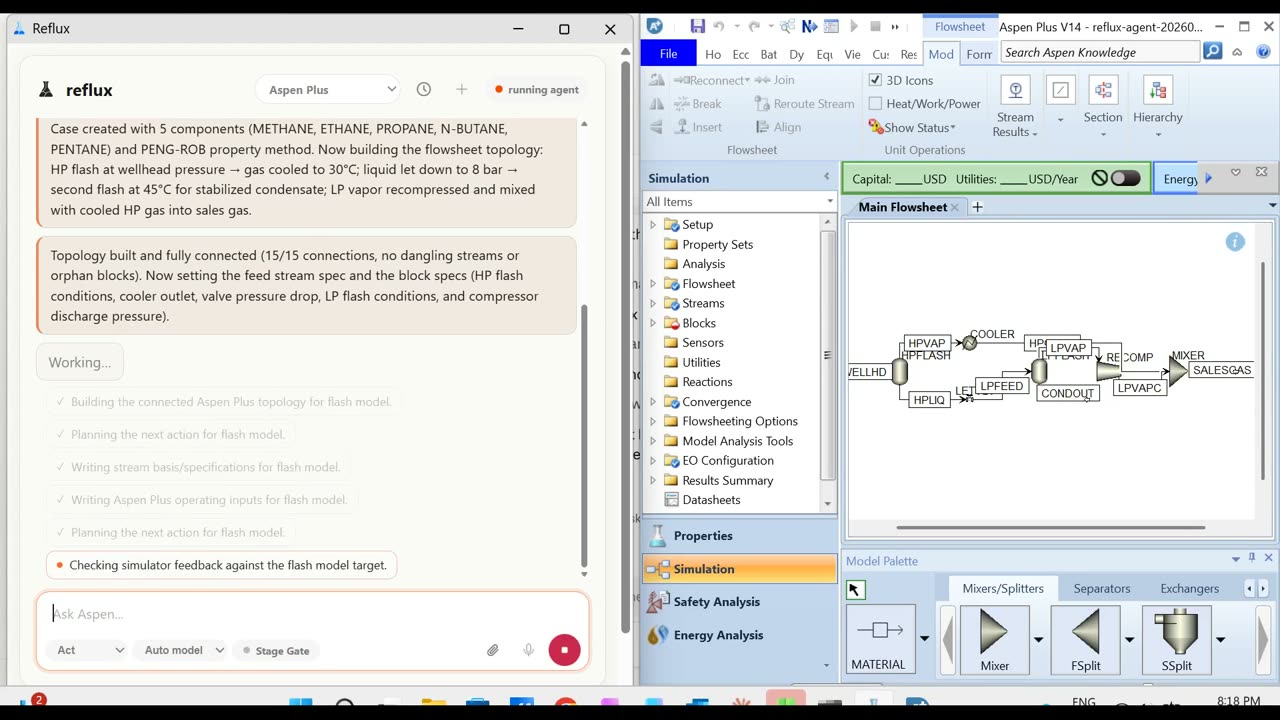
- Reflux opens beside Aspen
Point it at a flowsheet file, or describe what to build, and watch it work in Aspen's own window.
On your flowsheet
It reads the case before it says a word.
Every answer comes from the simulator, not from memory. Every change is read back before Reflux says it happened.
- Existing flowsheets and new ones. Open the case you have, or build one from a sentence.
- Repairs saved beside the original. Your file is never written over.
- Convergence explained. Which stage, which spec, which number, and what to try next.
- Numbers read back. Duties, purities, profiles, straight from Aspen after the run.
What you need
Your own Aspen Plus, on Windows.
Reflux is independent software that drives Aspen Plus through its published automation interface. It does not include Aspen Plus, and Aspen Plus has no Mac or Linux build, so Reflux runs where Aspen runs.
- Windows 10 or 11. A Windows VM or a remote Windows desktop works; install Reflux on that same machine.
- Aspen Plus V14, installed and licensed. A university academic licence is fine.
- An email address. That is the whole sign-up. No card to try it.
Questions students ask
Is it really free?
Free to start is a trial with a limit on it, not a free product. There is no card to enter. When it runs out the app shows you the plans and you pick one, or you stop.
Do I need my own Aspen Plus?
Yes. Reflux drives Aspen Plus V14 through its published automation interface on Windows 10 or 11. Your university's academic licence is fine. Aspen Plus is a product of Aspen Technology, Inc.; Reflux is not affiliated with or endorsed by AspenTech.
I am on a Mac.
Aspen Plus has no Mac build, so neither does Reflux. If you reach Aspen through a Windows virtual machine or a remote Windows desktop, install Reflux on that same machine.
Will it do my assignment for me?
On your own seat, Reflux is a full copilot. If your course runs Reflux for Academics, your instructor sets the level and the tool holds to it however the request is worded. Either way, every assumption it makes is logged, so you can explain your own work.
What does it cost after the free plan?
$39 a month, $139 for a four-month semester, or $390 a year, each including model usage. Paid plans go through Stripe in US dollars. See the student plans.
Hand it the flowsheet that is due.
Installs in a minute on Windows and drives your own Aspen Plus V14. No card, no call.