
Reflux for Engineers
Run the study, not the rework.
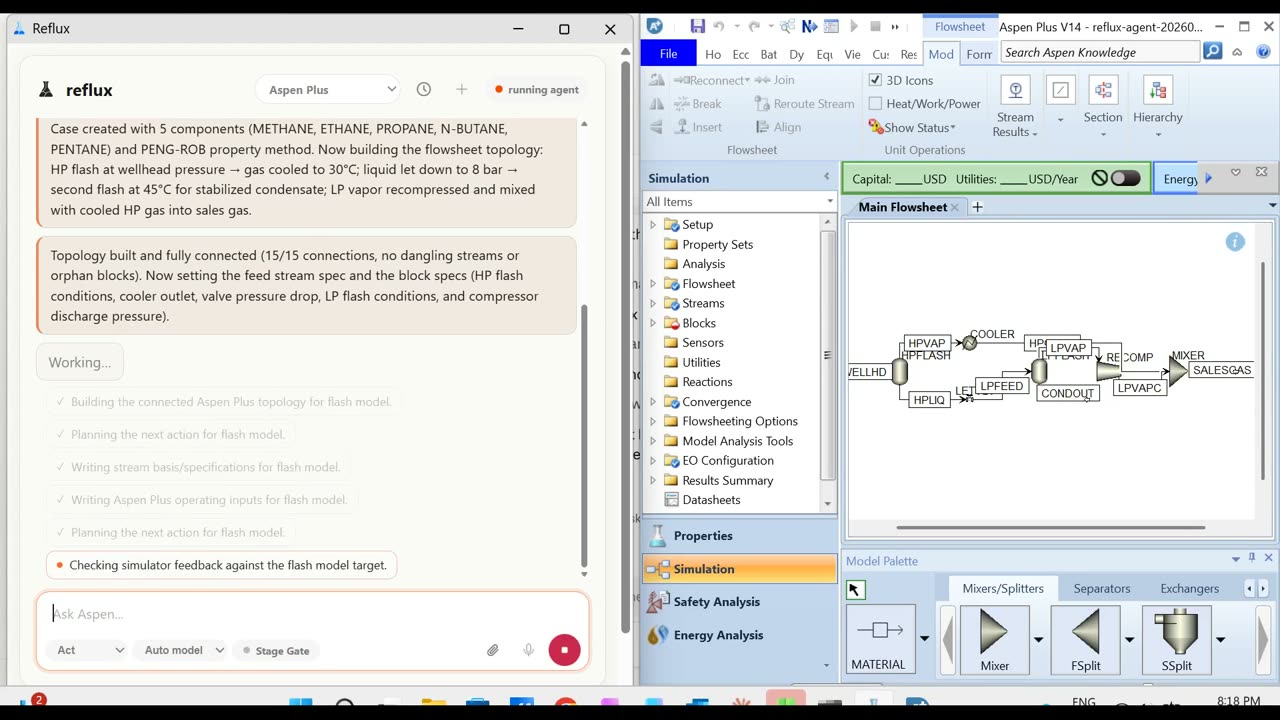
Reflux inspects, edits, runs and explains the simulator cases you already have, through a workflow you review before it runs. The native model stays the source of truth and your approval path stays where it is.
One seat is free to start, no card. Teams, private deployment and other simulators start with a demo.
The case you have
Forked before it is touched, reviewed before it runs.
Open the flowsheet your team keeps reworking. Reflux forks it, shows the plan, edits the fork, reruns it, and leaves a trail your reviewer can check before the file moves forward.
- Existing cases, forked first. The file you opened is never the file that gets edited.
- The plan up front. What will change, in which fork, with which assumptions. Approve it or edit it.
- Every number read back. Duties, purities and profiles from the simulator, with warnings and convergence attached.
Studies
Sweeps as separate cases, each with its own evidence.
Ask for six pressures and you get six runs, six read-backs and one summary a reviewer can check. Convergence failures are explained one verified change at a time instead of guess-and-rerun.
- Sweeps and sensitivity studies queued as cases, never overwritten in place.
- Convergence explained. Which stage, which spec, which number, and the next thing to try.
- Scripted from the terminal. The Reflux CLI runs the same reviewed workflow, and the MCP server lets your own agents call the simulator through Reflux.
For teams
Start with one engineer. Roll out when it earns it.
The free seat is the whole product for one person. When it earns a place in the review process, the same product runs for the team, in your environment if it has to.
- ▣Seats for the team
Per seat, quoted for your group. Everyone works in the same reviewed workflow.
- ⇆Private cloud or on site
For data that cannot leave the network. Your environment, your model choice.
- +Other simulators
Aspen Plus is available today. Each other package gets its own adapter, built against its published automation interface.
Questions engineers ask
Which simulators does it drive?
Aspen Plus V14 is available today, on Windows. Every other package gets its own adapter, built against its published automation interface. Where that interface is documented, standing one up has taken on the order of days to a week, with most of the remaining effort going into verifying variable paths against a real seat. Tell us what you run.
Does Reflux replace the simulator?
No. It drives a licensed, installed seat through the simulator's own automation interface. The native model stays the source of truth, and the file you hand to a reviewer is a simulator file, not a Reflux file.
What leaves my machine?
The simulator automation runs on your machine. Model calls go to a hosted model provider by default, and your cases and results are not used to train models. Teams that need more run Reflux in a private cloud or fully on site.
What does it cost?
One seat on Aspen Plus is free to start, then $39 a month. Team seats are quoted for your group, and private deployment is part of that conversation. See pricing.
Can I script it?
Yes. The Reflux CLI runs the same reviewed workflow from a terminal, and the MCP server lets the agents your team already uses reach the simulator through Reflux.
Hand it the case you keep reworking.
One seat installs in a minute on Windows and drives your own Aspen Plus V14. No card, no call.